Req 2.3: Support shared-device and multi-user login modes f...
📋 Requirement Details
Req 2.3: Support shared-device and multi-user login modes for classroom and laboratory environments.
⚙️ Technical Demonstration
IMTLazarus completely satisfies this requirement by natively supporting shared-device deployment profiles and multi-user execution contexts. The platform is architected to accommodate the operational realities of DepEd's computer laboratories, collaborative media centers, and cart-based classroom environments, where a single hardware asset must be utilized by multiple learners sequentially throughout the instructional day:
- Identity-Driven Policy Personalization: Rather than applying static, hardware-bound restrictions that treat every user identically, the platform decouples hardware enrollment from user identity. The agent detects the active session when a student logs into a shared terminal or browser ecosystem. It instantly syncs with the central server to pull the web-filtering rules, application privileges, and timetables specific to that student's organizational unit (OU).
- Instant Over-the-Air User Switching: When one student logs out and another logs in, the platform immediately tears down the previous security context and binds the device to the incoming identity. This handshake takes place in seconds, preventing configuration cross-contamination and guaranteeing that a higher-grade student does not inherit the strict web constraints of a lower-grade learner on the same machine.
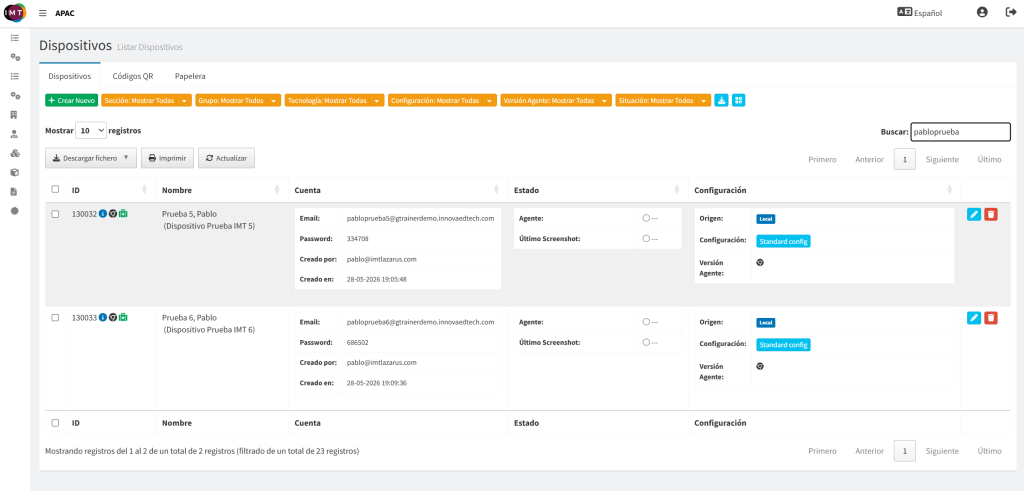
- Granular Multi-User Tracking and Accountability: As shown in the administrative system overview (2.3sistema-3.png), the platform tracks and provisions unique, independent database objects for separate users utilizing the same hardware base. Central IT or local lab supervisors can review, manage, and isolate activity logs or configuration baselines per student account rather than losing granularity across a shared generic terminal asset.
Shared and Multi-User Session Mechanics
The platform maintains security boundaries across multi-user environments by isolating policies at the session layer:
| Operational State | Technical Detection Method | System-Enforced Control | Compliance Objective |
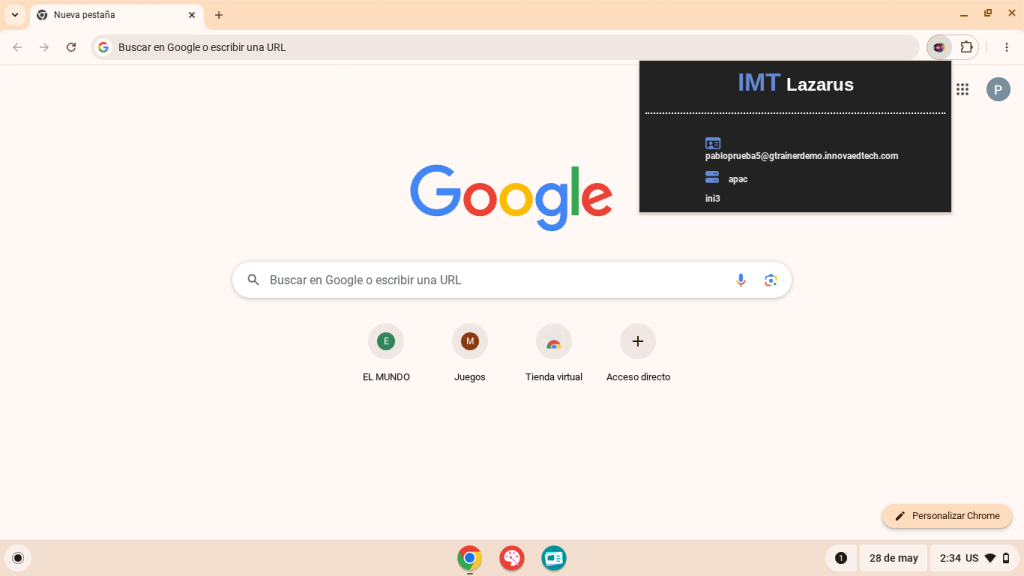
| User Session A Active | Detects active user identity pabloprueba5 (2.3sistema-1.png). | Enforces security profile, allow/block maps, and web policies mapped specifically to user category 5. | Provides a tailored, age-appropriate digital space for the first student user. |
| User Switch / Handshake | Immediate detection of session close and subsequent login event. | Tears down session caching and pulls the incoming cryptographic policy payload. | Prevents configuration drift or security leaks between successive classes. |
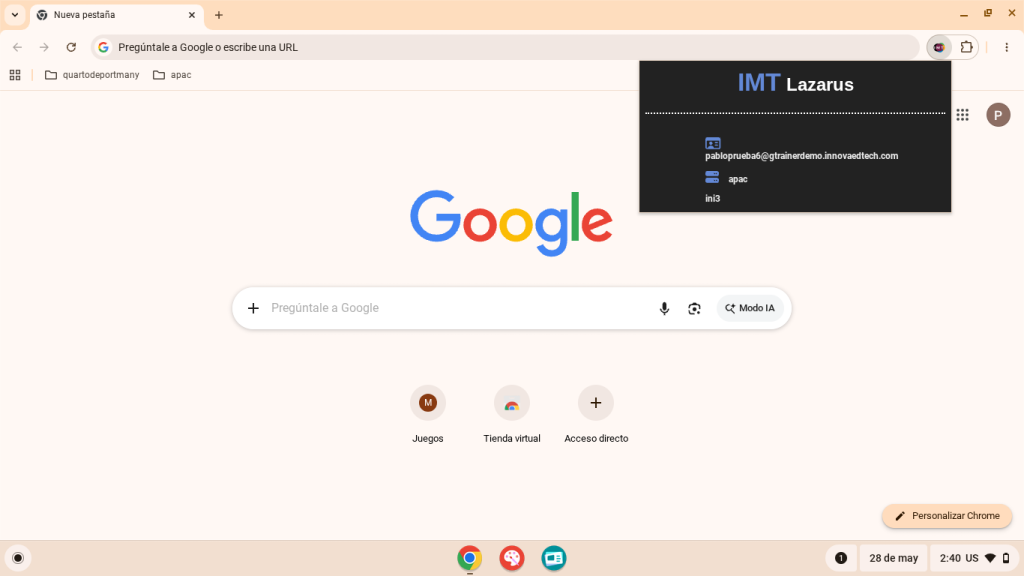
| User Session B Active | Detects active user identity pabloprueba6 (2.3sistema-2.png). | Instantly applies distinct configuration blueprints assigned to user category 6. | Ensures consistent guarding standards without requiring a hardware reboot. |
👨💻 Administrator Steps
To view, audit, and verify independent user accounts mapped to shared classroom or laboratory hardware, local ICT coordinators follow these dashboard steps:
Initiate Audits or Adjustments: From this centralized view, the administrator can select the Edit (Pencil) or Delete (Trash) functions on the far right of any specific user row to modify access permissions or update profile settings for that specific user session without altering the shared device's baseline operating system state.
Access the Fleet Directory: From the main dashboard console, locate the administrative panel navigation side-menu on the left and select Devices (Dispositivos), as displayed in 2.3sistema-3.png.
Filter Target Identifiers: Use the search bar component (Buscar) on the top-right of the directory module and enter the target account string or username fragment (e.g., searching for pabloprueba to pull all users tied to that lab group template).
Analyze Independent User Rows: Review the generated table rows to examine the distinct records created for each student user profile. The directory cleanly maps separate identifiers:
Roster Metadata: Lists independent IDs (e.g., 130032 vs. 130033) alongside custom naming structures.
Account Bindings: Explicitly details the individual authentication emails (pabloprueba5@gtrainerdemo.innovaedtech.com and pabloprueba6@gtrainerdemo.innovaedtech.com) along with their unique creation timetables.
Configuration Assignment: Verifies that both accounts point to their designated baseline profiles (Standard config) while running isolated tracking agents.
🖼️ Visual Evidence